Hard skills for a resume: examples and how to prove them
Which hard skills belong on your resume, how to word them, and how to prove each one in a bullet. Worked before-and-after example included.


What are hard skills on a resume?
Hard skills are job-related abilities another person could ask you to demonstrate: preparing a financial report, using a spreadsheet function, operating equipment, writing code, or following a documented procedure. You might learn them through school, training, work, or personal projects.
Soft skills describe how you work with people and problems, including communication, teamwork, and judgment. They matter too, but the phrase “excellent communicator” means less than a bullet explaining how you documented a customer concern and handled the follow-up.
The University of Pennsylvania resume guide recommends listing objective, measurable skills in the Skills section and demonstrating softer skills through experience bullets.
| Vague label | More useful hard skill, when true |
|---|---|
| Computer skills | Excel: pivot tables, XLOOKUP, data validation |
| Office software | Microsoft Word: mail merge and document templates |
| Customer systems | Salesforce: contact updates and case records |
| Data analysis | SQL: joins, filtering, grouped reports |
| Inventory | Barcode scanning, cycle counts, discrepancy logs |
| Design software | Adobe Illustrator: vector artwork and print-ready exports |
The more precise version gives the reader something you could explain or demonstrate. Use these only when they describe your actual experience.
Hard skills examples by job
There is no universal list of the best hard skills. A nurse, marketer, bookkeeper, warehouse associate, and developer do different work. Fictional examples: the skills and proof bullets below show how a resume might demonstrate each type of work.
| Role | Examples of hard skills | Example proof bullet |
|---|---|---|
| Office administrator | Excel pivot tables; calendar scheduling; mail merge; invoice tracking; document control | Prepared a weekly Excel report of supply requests for purchasing review. |
| Customer service associate | CRM record updates; case classification; order lookup; returns processing; knowledge-base editing | Updated customer cases in a CRM and tracked follow-up actions for unresolved orders. |
| Retail associate | Point-of-sale systems; returns; cash reconciliation; stock counts; inventory transfers | Reconciled end-of-shift transaction totals with register records. |
| Warehouse associate | Handheld scanners; receiving; cycle counts; pick lists; inventory reconciliation | Compared scanned receipts with delivery records and logged missing items. |
| Bookkeeper | Accounts payable; bank reconciliation; QuickBooks; invoice matching; Excel lookups | Matched supplier invoices to purchase orders and prepared exceptions for approval. |
| Marketing coordinator | Google Analytics; email segmentation; UTM tagging; spreadsheet reports; content scheduling | Tagged campaign links and summarized traffic sources in a weekly report. |
| Nursing professional | Electronic health records; vital-sign measurement; patient charting; medication documentation; infection-control procedures | Entered patient observations into an electronic record and escalated changes under unit procedures. |
| Software or data analyst | SQL; Git; Python; API testing; dashboard queries | Wrote SQL queries to reconcile reporting datasets and documented inconsistencies. |
For regulated work, including nursing, list only procedures you are trained and authorized to perform. Familiarity with a procedure is not a substitute for a required license.
How to choose hard skills from a job posting
Start with the role you want rather than a giant internet list. Read the responsibilities and qualifications. Highlight specific software, work procedures, tools, methods, and deliverables.
Evaluate each candidate skill with four questions:
- Does the job call for it? Give priority to relevant required or preferred abilities.
- Have I actually used it? Experience from work, class, volunteering, and personal projects can count.
- What is my evidence? Find a report, project, completed task, or issue you resolved.
- Is my wording accurate? Write “Excel: pivot tables” if you use them rather than claiming mastery of every Excel feature.
UC Berkeley’s career guidance recommends tailoring a resume to a posting’s required and preferred qualifications, then demonstrating relevant abilities through accomplishments. Do not add skills you lack simply to match the wording of an advertisement. Our guide to resume keywords works through one posting from start to finish.
Worked example: the skills audit
A fictional operations coordinator job and candidate illustrate this skills audit.
The sample job asks for Excel reporting, CRM record updates, vendor scheduling, inventory reconciliation, and invoice tracking. Our candidate has used some of those tools but has an unfocused Skills section.
Before: fifteen uneven items
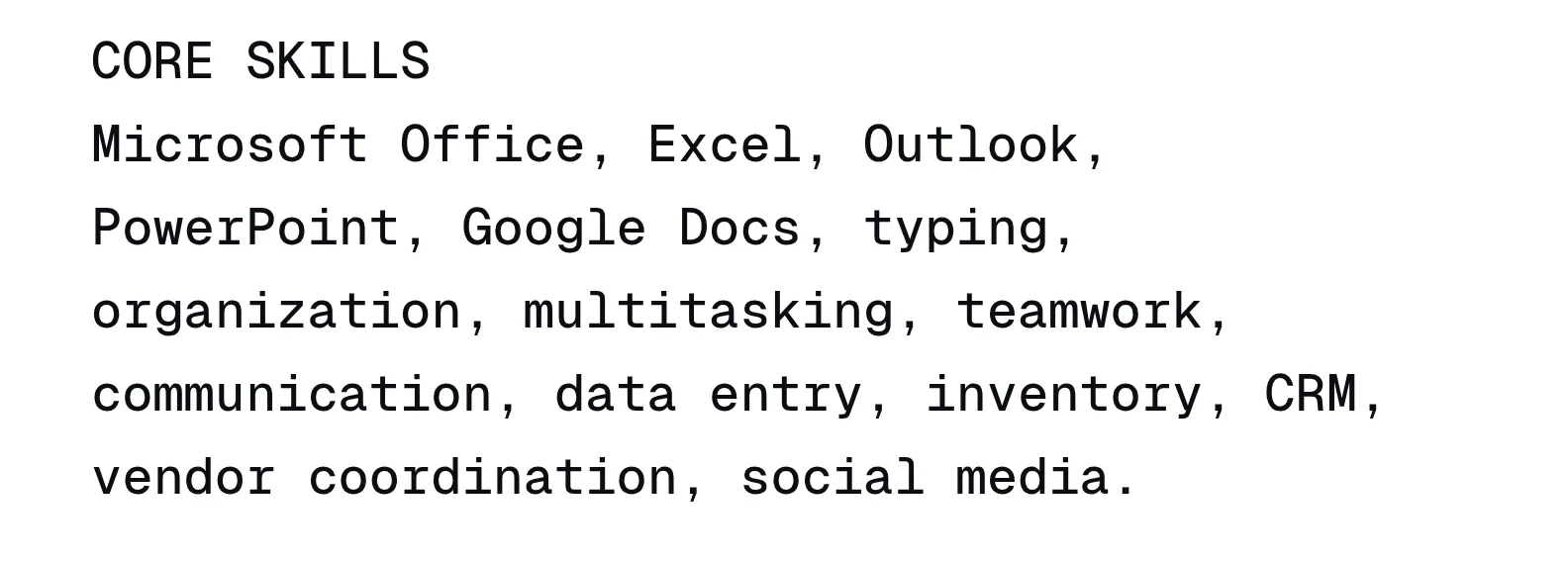
Skills: Microsoft Office, Excel, Outlook, PowerPoint, Google Docs, typing, organization, multitasking, teamwork, communication, data entry, inventory, CRM, vendor coordination, social media.
There is little detail about what the candidate can actually do. Broad software categories sit alongside personality traits and items unrelated to the job.
Sort the existing skills
| Original item | Decision | Reason and replacement |
|---|---|---|
| Excel, Microsoft Office | Make specific | Candidate can use pivot tables and XLOOKUP, so state those methods. |
| CRM, data entry | Make specific | Candidate maintained Salesforce records and case notes, so name the software and tasks. |
| Inventory | Make specific | Describe receiving records and inventory reconciliation. |
| Vendor coordination | Keep and clarify | Candidate has scheduled vendor pickups, so name the work. |
| Communication, teamwork | Move to bullets | Show the candidate coordinating people and sharing information. |
| PowerPoint, social media | Cut for this job | Not relevant to the sample posting’s main tasks. |
| Organization, multitasking | Move to bullets | Demonstrate handoffs, schedules, and recordkeeping instead. |
| Outlook, Google Docs, typing | Cut for this job | The sample posting does not prioritize them, so remove them to make room for more relevant skills. |
The candidate does not need to keep every old entry. The new section should be short enough that each term earns its place.
After: skills and supporting experience
Skills
- Spreadsheets: Excel pivot tables, XLOOKUP, weekly reporting
- Customer records: Salesforce contact updates and case notes
- Operations: Vendor scheduling, inventory reconciliation, invoice tracking
Experience: Operations assistant (fictional sample)
- Build weekly Excel pivot-table summaries from supply request records for the purchasing team’s review.
- Update Salesforce customer details and document follow-up actions for open cases.
- Coordinate vendor pickup windows and maintain the shared delivery schedule for 12 regular vendors.
- Compare packing slips with inventory records and document discrepancies for purchasing.
- Check invoice line items against purchase orders and prepare exceptions for approval.
You can open the ResumeUnbox resume editor to build a clearer Skills section and update your own experience bullets. Keep each claim grounded in work you have done.
The changes make the claims more precise. “Excel” now refers to reports the candidate could discuss. “CRM” identifies a real task, and each important skill has a related experience bullet.
When editing your own resume, include a real workload, timeframe, count, or outcome where you know it. Penn’s advice for stronger resume bullets asks writers to describe what they contributed, why it mattered, and whether the impact can be measured. A concrete output still helps when no reliable metric exists.
Where should you put hard skills?
The Skills section helps someone scan your abilities. Other resume sections show why those claims are credible.
- Skills: A concise list of tools, methods, and procedures that matter for the role.
- Experience: Bullets showing the work performed with the most relevant skills.
- Summary: A specialist capability that explains fit, if a summary helps your resume.
- Projects: Completed work from coursework, volunteering, freelance work, or personal practice.
- Education and certifications: Accurate qualifications, training, and any relevant licenses. See how to list certifications on a resume.
Our guide to resume sections and their order shows how those pieces fit together. Our ATS-friendly resume guide covers common export and readability problems.
Should you use skill ratings and proficiency bars?
A skill name and the tasks you can perform tell a reader more than an unexplained star rating. “Excel: pivot tables, XLOOKUP, charts” is easier to discuss than a picture of four filled stars.
The Penn resume guide cautions that decorative formatting is not reliably read by every applicant tracking system. That does not establish that a particular bar is lost by every ATS. If your template includes skill icons or rating bars, inspect the text extracted from the exported PDF and make sure the actual skill names remain readable.
If you learned a tool independently, describe a real project. If you are still learning it, say what you have practiced rather than declaring advanced proficiency.
Check the exported resume
Export the updated document as a PDF. Open it and confirm the Skills section is legible. Select and copy its text into a plain-text editor to see whether the important tool names survive extraction.
Compare the final resume with your chosen posting. For each missing term, decide whether it describes something you actually know but omitted, or something you have not learned. Add only the true missing details, supported by examples. In the ResumeUnbox ATS-style checker, you can provide a PDF and job posting to review the terms found and the document’s readability.
A keyword overlap count describes whether terms were found. It cannot predict an interview or establish what every employer’s applicant tracking system will do.
Our checker test: before and after
We compared a fictional operations coordinator resume before and after rewriting its hard skills. We built the after version in the ResumeUnbox editor with a one-column template and exported it twice: once with skill levels shown as icons, once with the proficiency written in words. We tested the three PDFs against the same job posting with the ResumeUnbox ATS-style checker: the before version on November 2, 2026, and the two editor exports on November 3, 2026.
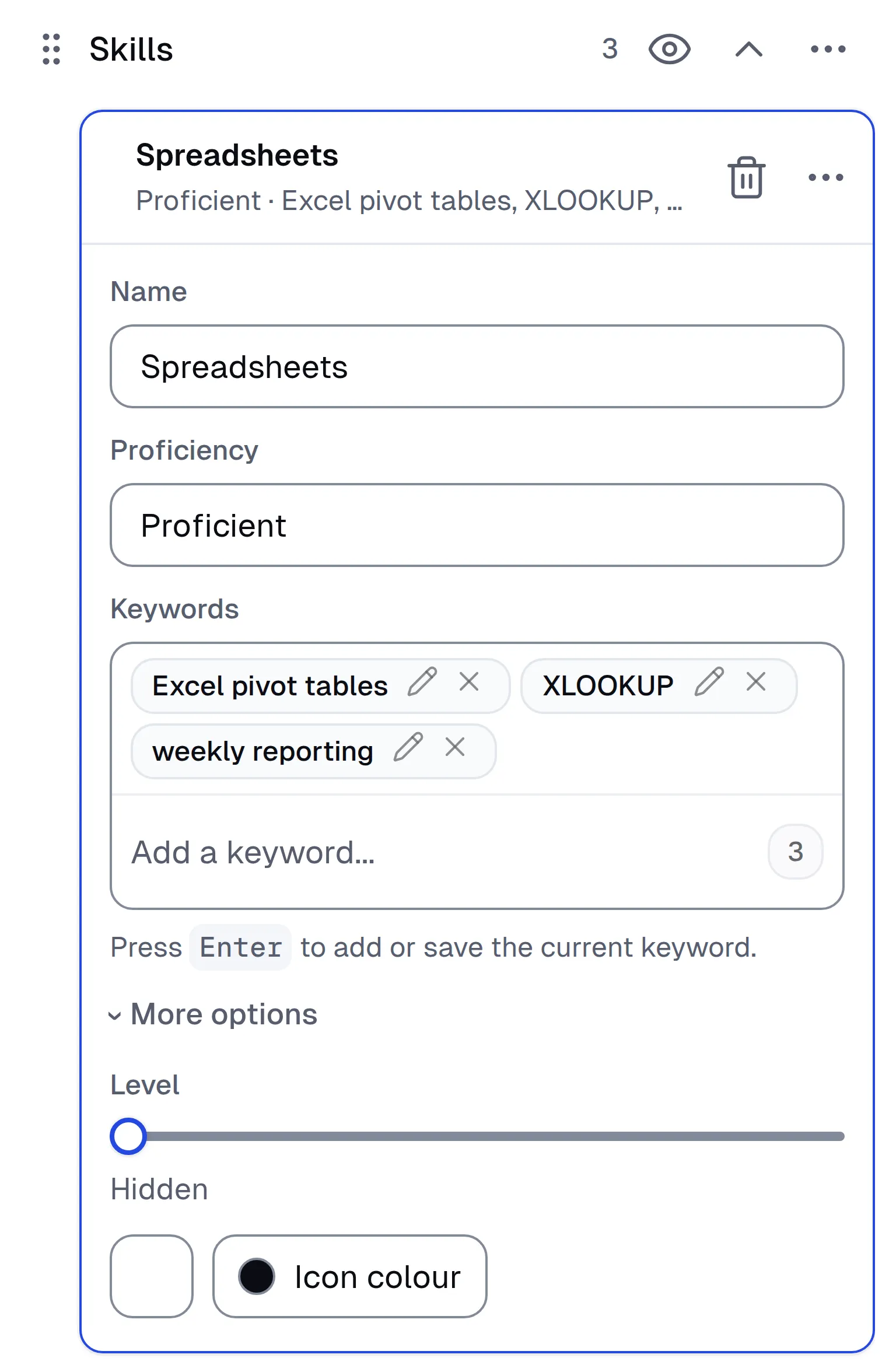
Each skill in the editor has a name, a proficiency, keywords and, under More options, a level. For the icon export, we set the levels to 4, 3 and 4 and left the proficiency empty. For the words export, we set each level to 0, which the editor shows as Hidden, and typed the proficiency.
| Resume version | Readability score | Checker label | Terms from the posting |
|---|---|---|---|
| Before | 92 | Reads cleanly | 16/35 |
| After, proficiency in words | 100 | Reads cleanly | 25/35 |
| After, level icons | 100 | Reads cleanly | 25/35 |
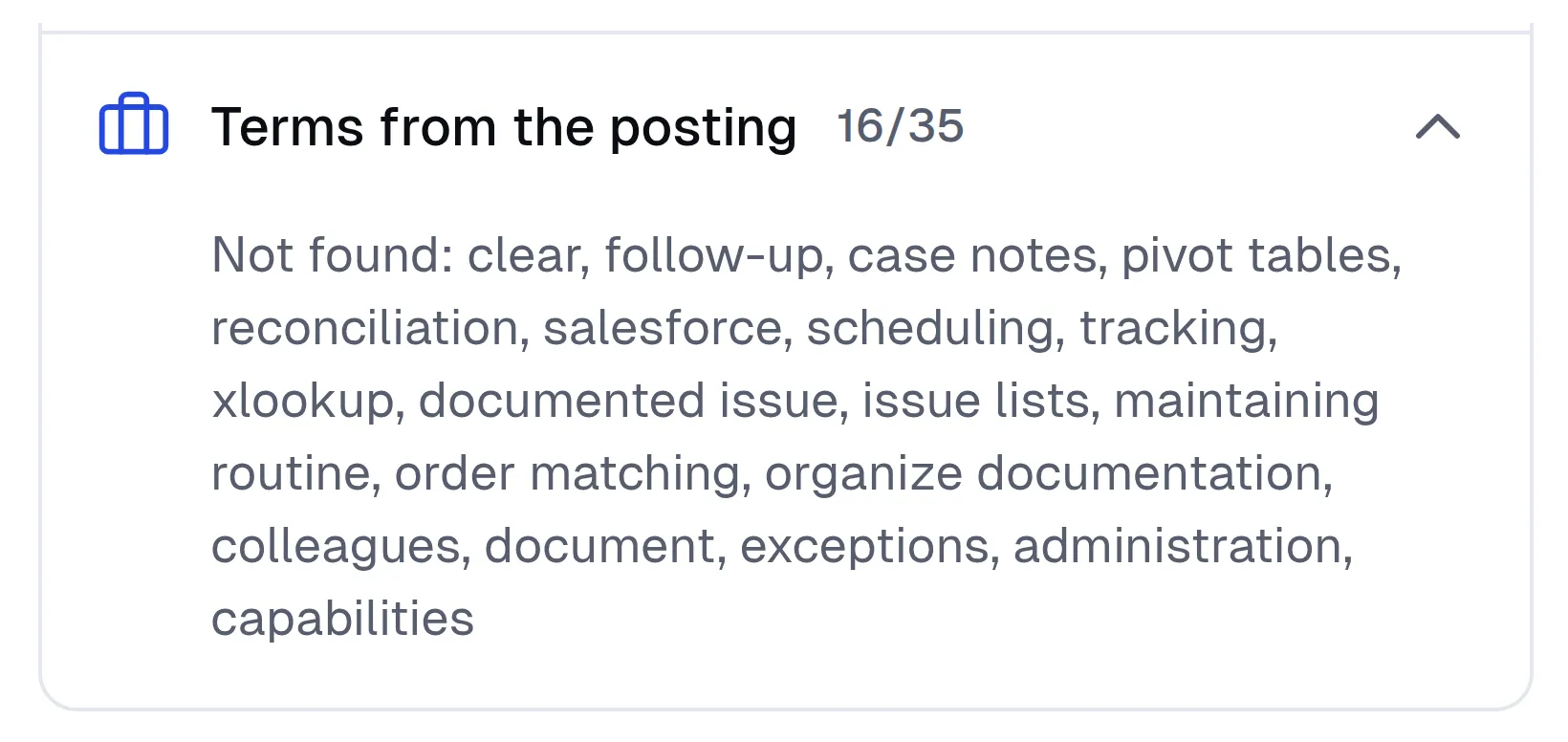
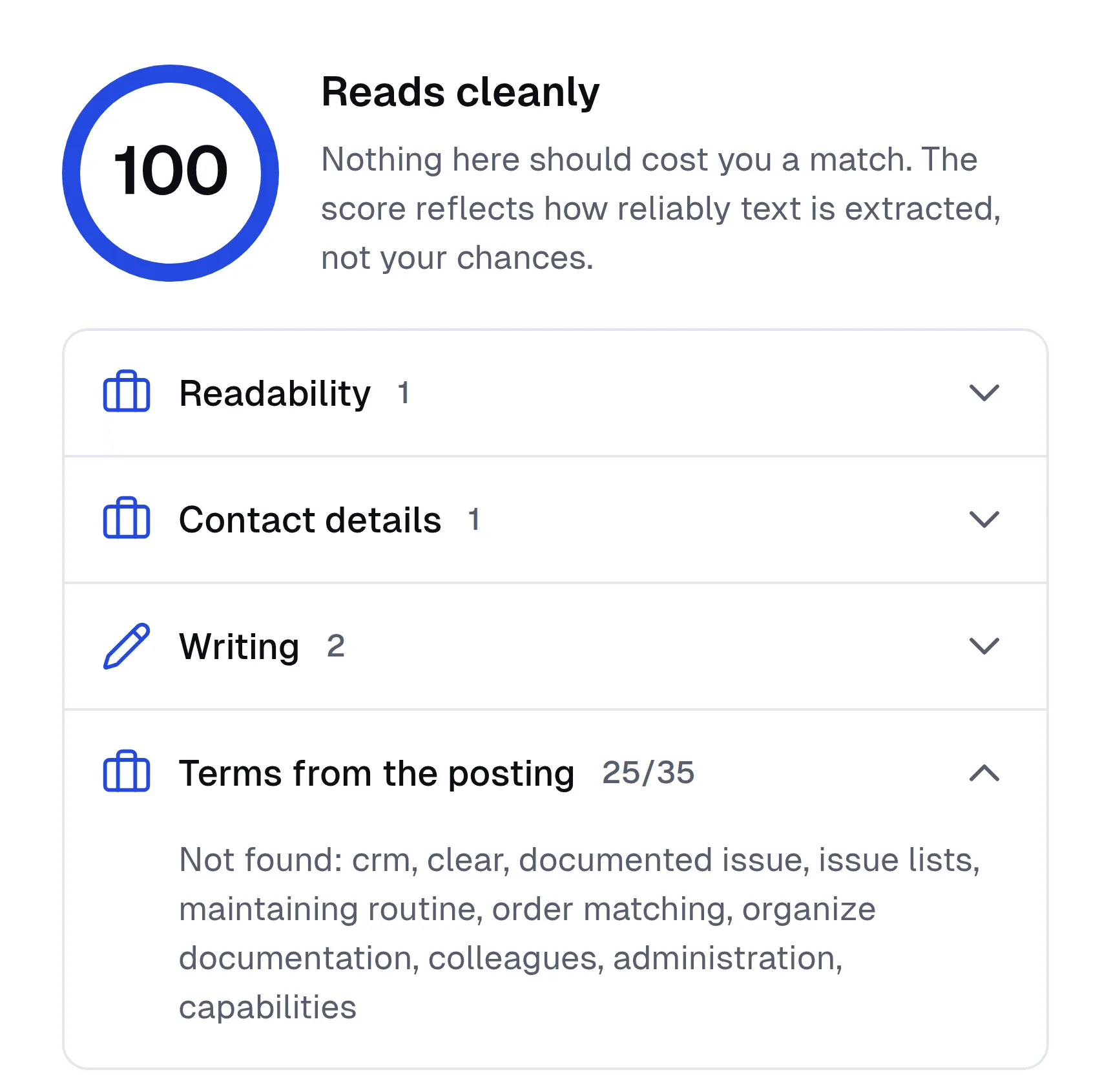
The revised resume contains more of the job posting’s terms. The scores describe text readability, and the term counts describe word overlap. Neither number predicts an interview or establishes how every employer’s ATS behaves.
What the checker marked as missing
Not found, before: clear, follow-up, case notes, pivot tables, reconciliation, salesforce, scheduling, tracking, xlookup, documented issue, issue lists, maintaining routine, order matching, organize documentation, colleagues, document, exceptions, administration, capabilities.
Not found, after (both): crm, clear, documented issue, issue lists, maintaining routine, order matching, organize documentation, colleagues, administration, capabilities.
A missing term might describe an ability you have but worded differently, or a qualification you cannot claim. For example, crm remained on the missing list even though the revised resume names Salesforce. Review the term rather than adding it solely to raise a count.
What “As software reads it” extracted
The checker’s As software reads it view shows which skills stayed readable. Here is the original, broad Skills section:
For the written-proficiency export, these were the exact Skills lines in the extracted text:
Skills
Spreadsheets
Proficient
Excel pivot tables, XLOOKUP, weekly reporting
Customer records
Working knowledge
Salesforce contact updates, case notes
Operations
Proficient
Vendor scheduling, inventory reconciliation, invoice tracking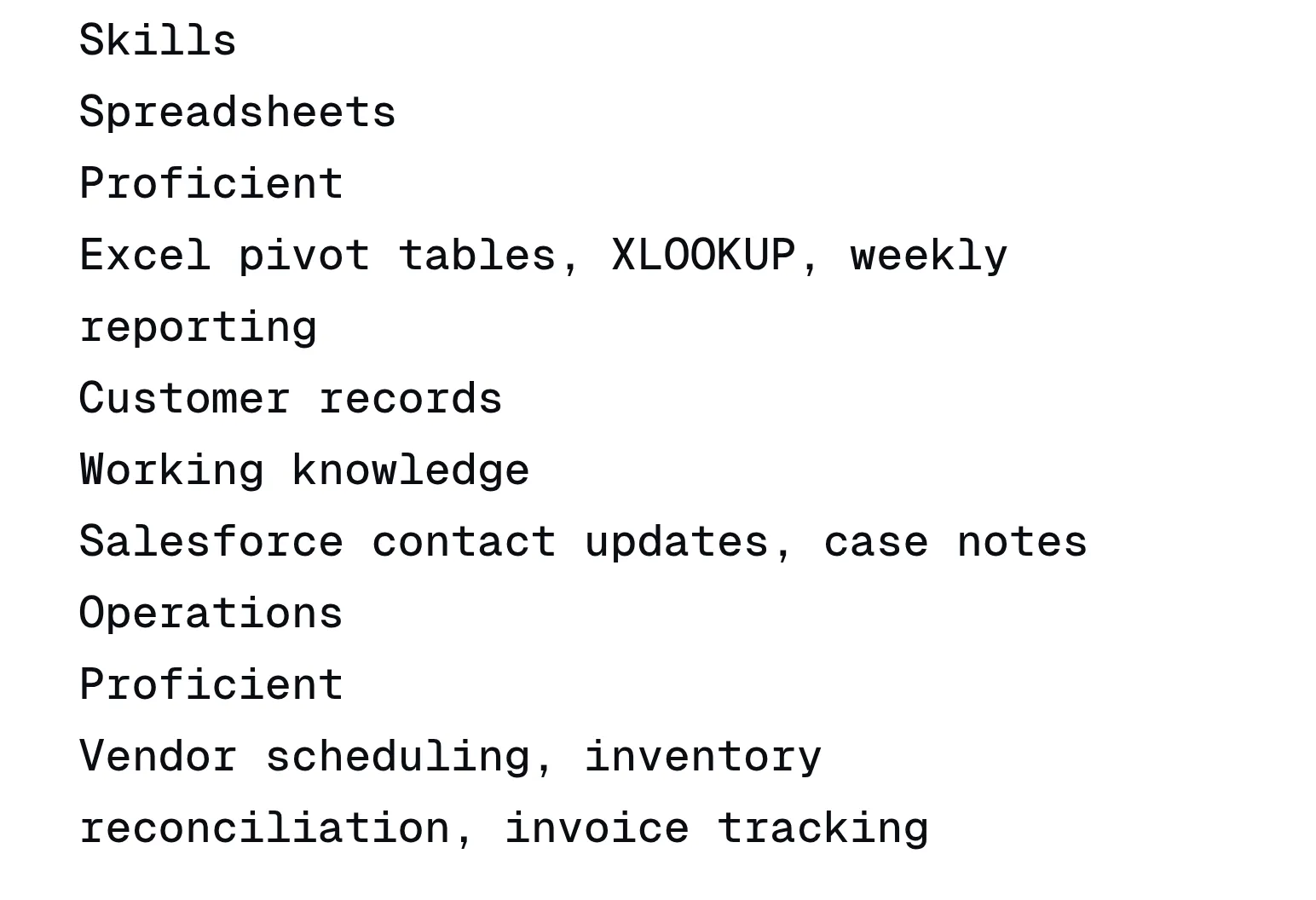
For the icon-proficiency export, the checker extracted these Skills lines:
Skills
Spreadsheets
Excel pivot tables, XLOOKUP, weekly reporting
Customer records
Salesforce contact updates, case notes
Operations
Vendor scheduling, inventory reconciliation, invoice tracking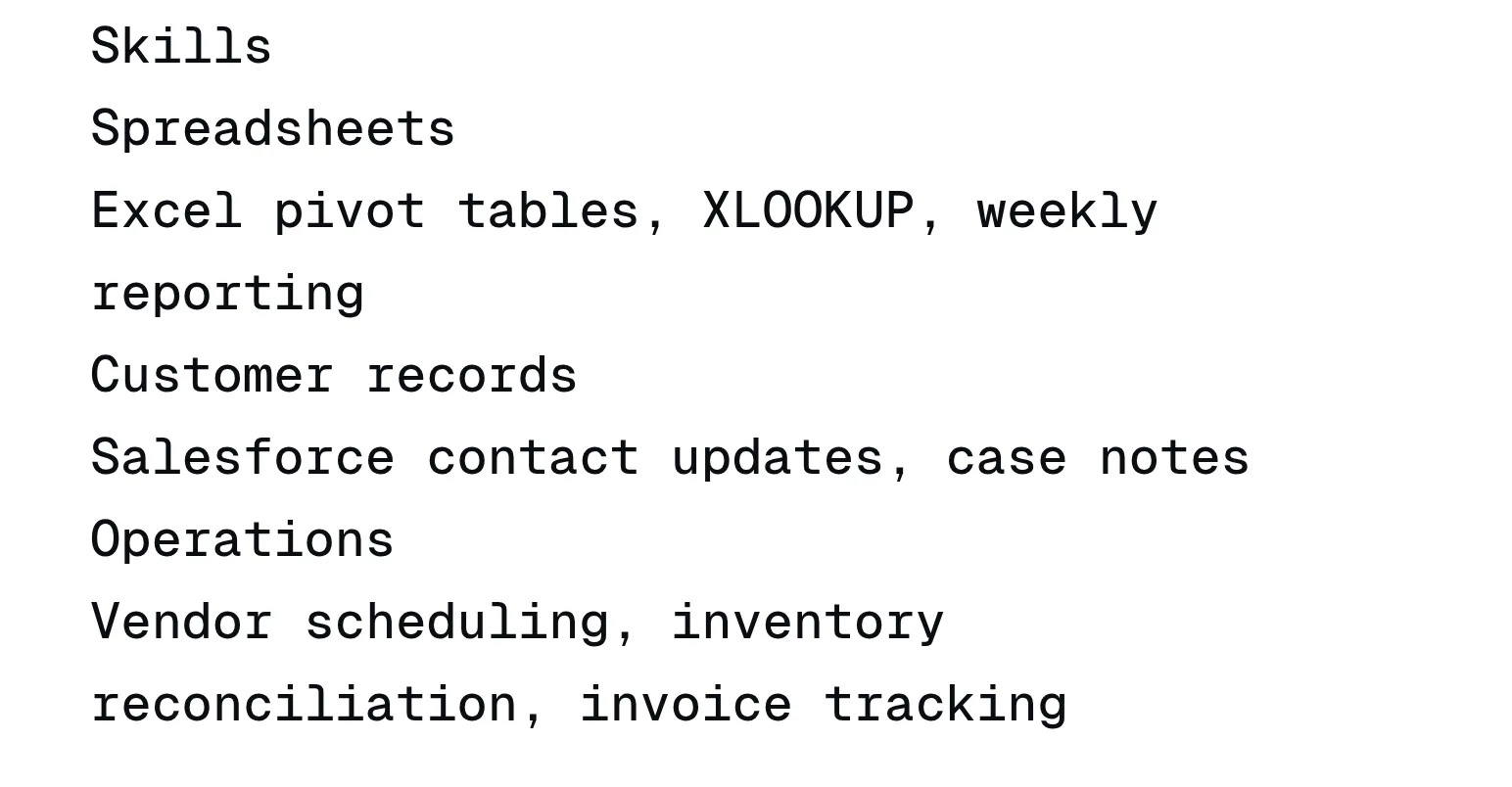
The skill names stayed readable in both after versions, but the icon circles did not produce proficiency words. This describes the text extracted by this checker, not every ATS. Both after PDFs are unedited exports from the ResumeUnbox editor: if you want a parser to read your level as text, write it in the proficiency field.
Checklist before you send
Common hard-skills mistakes
Listing every program you have opened. Occasional exposure does not equal working proficiency. Prioritize the tools you genuinely use.
Generic labels without evidence. “Computer skills” says less than “Excel data validation” and a related work bullet.
Made-up metrics. A good invoice reconciliation or reporting example does not require an invented percentage. Use the actual output and scope.
Copying the posting word for word. Match terminology when it truthfully describes your experience; never add qualifications just to repeat a keyword.
Decorative ratings without clear text. Write the actual skill names even when you choose a visually styled resume.